Macros are essentially Coyote "scripts"; that is, a predefined sequence of REPL commands that automate repetitive tasks or workflows. They are also Coyote's custom commands: any enabled macro can be invoked directly from the REPL as a top-level dot-command, exactly like a built-in.
ollama:gemma4:26b)> .generate-commit-message
By default, macros run in isolated environments, ensuring that the macros don't inherit any pre-existing role, session,
RAG, or agent state, and they will not affect your current context. This isolation ensures that your workspace remains
clean and unaffected by macro operations. Macros that should affect your context can opt out of isolation with
isolated: false.
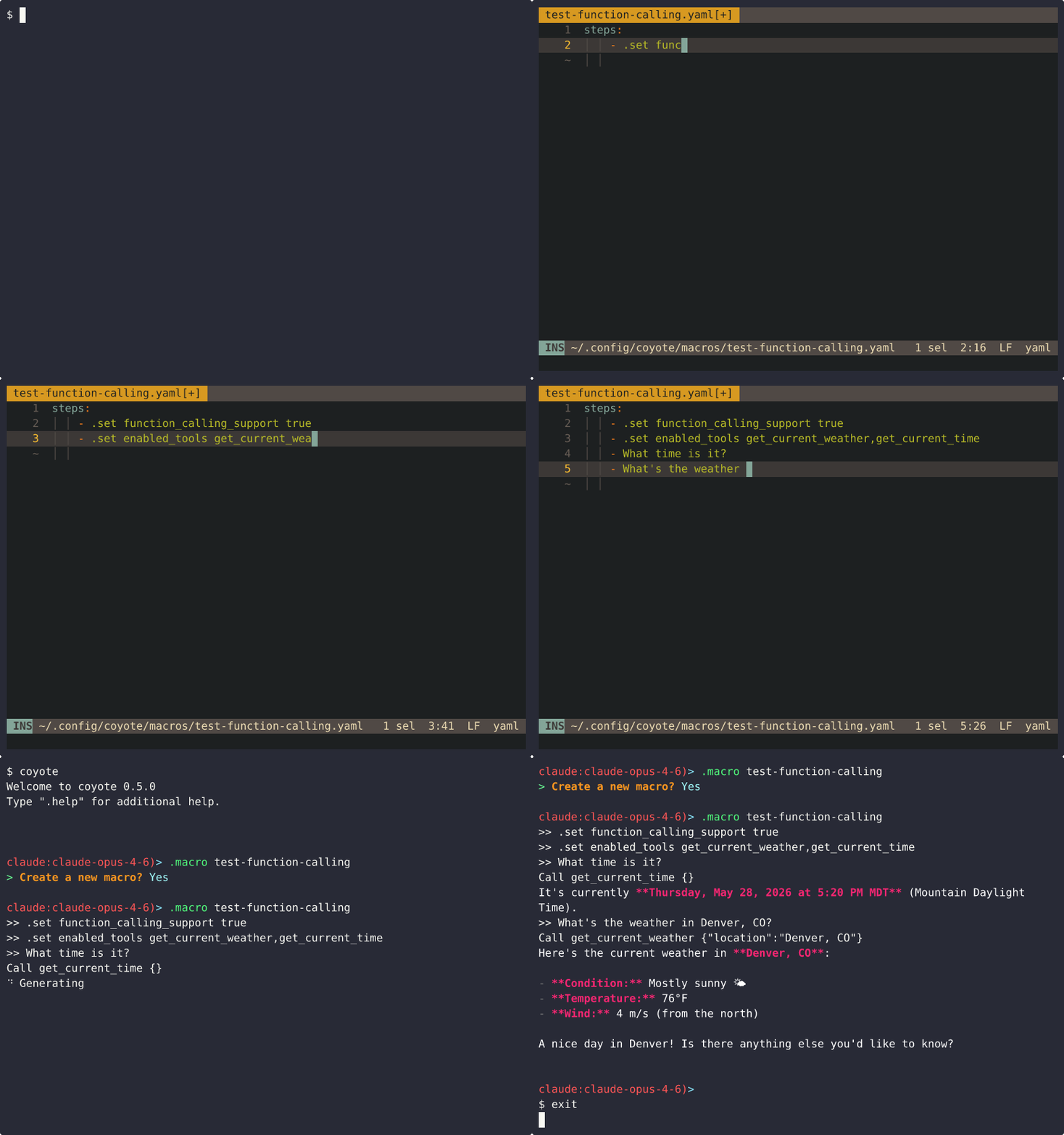
For more information on Coyote's REPL, refer to the REPL documentation.
Invoking Macros
There are three equivalent ways to run a macro:
| Invocation | Notes |
|---|---|
.<name> [args...] |
Top-level custom command. Built-in commands always win a name collision (see Naming rules) |
.macro <name> [args...] |
Explicit form. Also the escape hatch for macros whose names are shadowed by a built-in command |
coyote --macro <name> [args...] |
From the shell, without entering the REPL |
Tab completion knows about your macros: .<tab> offers enabled macros (with their description) alongside the built-in
commands, and .macro <tab> completes macro names, descriptions, and the enable/disable subcommands.
Running .macro <name> with a name that doesn't exist (and no arguments) starts the interactive macro creator.
Macro Definition
Macros are defined as YAML files in the macros subdirectory of your Coyote configuration directory. The Coyote configuration
directory can vary between systems, so to find the location of your macros config directory, you can use the following
command:
coyote --info | grep 'macros_dir' | awk '{print $2}'
A macro definition has four parts, all but steps optional:
description(Optional): A short description of what the macro does. Shown in.list macrosand in tab completion.isolated(Optional, Boolean): Whether the macro runs on a forked, throwaway context (true, the default) or directly on your live context (false). See Isolation.variables(Optional): Positional runtime arguments. See Macro Variables.steps(Required): The commands to run.
Step Definitions
The step definitions for a macro are straightforward: They are simply the exact commands you would otherwise type in the REPL.
Example: Macro to generate a git commit message
macros/generate-commit-message.yaml
description: Generate a git commit message from the current diff
steps:
  - .file `git diff` -- generate git commit message
Usage:
$ coyote --macro generate-commit-message
>> .file `git diff` -- generate a git commit message
Add documentation on macros
Note: A step is a plain YAML string. If a step contains a colon followed by a space (
:), YAML will parse the list item as a map and the macro will fail to load (it shows asinvalidin.list macros). Quote the step or use a block scalar (- >-) to avoid this.
For a full example configuration, refer to the example macro configuration file in the root of this project.
Macro Variables
Sometimes it's useful to be able to modify the behavior of a macro at runtime. This is achieved with the variables
array of the macro definition.
To pass variables to a macro, since they are just Coyote scripts, the syntax is the same as it is for any other scripting language: You just pass them alongside your invocation.
Example:
$ coyote --macro example-variable-macro first_argument second_argument
Each variable in the variables array has the following properties:
name(Required): the name of the variable, which can be referenced in the actual steps of the macro using the{{name}}syntax.default(Optional): A default value for the variable if no value is specified. If no default value is defined, and no value is provided for the variable at runtime, Coyote will error out.rest(Optional, Boolean): When set totrue, this variable will collect all remaining arguments passed to the macro. This behavior is only applicable when the variable is the last variable in the list. By default, this isfalse.
The variables array is order-dependent; that is to say that all arguments passed to the macro are positional. So be
careful about the ordering if that is important to your macro's invocation.
Example: Simple variable example to invoke an agent
macros/invoke-agent.yaml
variables:
  - name: agent                 # No default value means this must be defined at runtime
  - name: args
    rest: true                  # All remaining arguments to the macro are collected into this variable
    default: What can you do?   # This is used if no value is passed at runtime
steps:
  - .agent {{agent}}
  - '{{args}}'
Usage:
$ coyote --macro invoke-agent sql
# or
$ coyote --macro invoke-agent sql What tables are available?
For a full example configuration, refer to the example macro configuration file in the root of this project.
Isolation
The isolated field controls where a macro's steps execute:
isolated: true(default): Steps run on a forked, throwaway copy of your context. Nothing the macro does (e.g. role switches, model changes, RAG activation, etc.) leaks back into your live context, and the macro's exchanges are not recorded in your active session.isolated: false: Steps run directly on your live context, exactly as if you had typed each command yourself. The exchanges are recorded in your active session and the conversation continues from them.
Non-isolated macros are the right tool when the point of the macro is to change your context; e.g. a .standup macro
that switches roles, loads a RAG, and asks a kickoff question. Be aware of the consequences:
- Mutations persist by design. If a non-isolated macro runs
.role reviewer, you are still in thereviewerrole after it finishes. - Steps are fail-fast. If a step errors, the remaining steps are skipped, but the effects of the steps that already ran remain.
- Nested macros are rejected. A macro invoked by a non-isolated macro's step is an error. (An isolated macro's step may invoke a non-isolated macro; it simply runs on the fork and cannot touch your live context.)
- Agent sessions engage normally. In an isolated macro, an agent's
use_agentsession is suppressed (the forked context has nothing to return to). In a non-isolated macro,.agent <name>behaves exactly as if you typed it. .exitin a macro step does not exit the REPL (it applies to the macro's own scope).
Workspace Macros
In addition to your global macros directory, Coyote loads macros from .coyote/macros/ in the current working
directory. This lets a project ship its own custom commands, (e.g. .review-work macro tailored to one repo),
that are only available when you run Coyote from that project.
- A workspace macro with the same name as a global macro shadows it;
.list macrosshows both, with asourcecolumn telling you which one is the invocation target. - The
--no-workspace-macrosCLI flag disables workspace macro loading entirely (this is a CLI flag only, not a config file key, mirroring--no-workspace-mcp).
Scoping With enabled_macros
Which macros are available can be controlled per context with the enabled_macros setting, mirroring
enabled_skills. It can be set at four levels:
- Global (
config.yaml): the default-active set. Also settable via theCOYOTE_ENABLED_MACROSenvironment variable and adjustable at runtime with.set enabled_macrosor.macro enable|disable. - Role (frontmatter), Agent (agent config), and Session: restrict the set for that context.
The rules:
- Most-specific wins:
session > agent > role > global. The first level that setsenabled_macrosdecides the entire set; the lists are not merged. - Unset means all: A level that doesn't set
enabled_macrosfalls through to the next. If no level sets it, every installed macro is enabled. - An empty list means none:
enabled_macros: []disables all macros for that context. - Global config, role frontmatter, and sessions accept either a YAML list or a comma-separated string
(
enabled_macros: standup,review-work); agent configs accept the list form. - Graph agents ignore
enabled_macros(agraph.yamlentry is silently ignored, like other unknown keys). - Unlike
enabled_skills, anenabled_macrosname that doesn't match any installed macro is not an error, but rather is logged and shown asmissingin.list macros. Macros are meant to be freely shared and edited, so a dangling name shouldn't stop Coyote from starting.
Managing Macros at Runtime
| Command | Description |
|---|---|
.macro enable <name> |
Add a single macro to the global enabled list |
.macro disable <name> |
Remove a single macro from the global enabled list |
.set enabled_macros <csv|null> |
Replace the whole global list (null clears it, re-enabling everything) |
.list macros |
List every macro with its source, isolation, state, and description |
Like .set, these adjust the in-memory global configuration; update config.yaml to persist them. Because they edit the
global level, they cannot override a role/agent/session enabled_macros allowlist. If one is active, the toggle
errors and names the config you'd need to edit instead. Disabling a macro when no global list is set materializes the
list as "every installed macro except this one."
The state column of .list macros tells you exactly why a macro is or isn't invocable:
| State | Meaning |
|---|---|
enabled |
Visible and invocable |
disabled (runtime) |
Excluded at the global level; re-enable with .macro enable <name> |
locked |
Excluded by a role/agent/session enabled_macros list (the owning config is shown); edit that config |
missing |
Named in an enabled_macros list but not installed |
shadowed (built-in) |
The name collides with a built-in command; invocable only via .macro <name> |
invalid |
The definition file failed to parse (the reason is shown), or the name is reserved |
Naming Rules
The macro's file name is its command name. Two constraints:
enableanddisableare reserved (they are.macrosubcommands); a macro with either name shows asinvalid.- Built-in commands always win. A macro named after a built-in command (e.g.
model.yaml) is never dispatched at the top level;.modelruns the built-in. The macro remains reachable via.macro model, and.list macrosshows it asshadowed (built-in).
Built-In Macros
Coyote comes packaged with some useful built-in macros. These are also good examples if you're looking for more examples on how to make your own macros, so be sure to check out the built-in macro definitions if you're looking for more examples.
generate-commit-message- Generate a Git commit message based on the staged changes in the current directoryrecord-miss- Record a code review suite miss into the review miss ledger at<config_dir>/share/review-misses.mdso that it is not missed on future code review suite runs.record-ruling- Record a standing ruling (a pre-delegated decision) into<config_dir>/share/standing-rulings.md. Agents running withescalation_policy: autonomousapply a matching ruling instead of escalating to you, and report every application in the run'sDecisions taken autonomouslydigest. Hard triggers (secrets, money movement, destructive actions) can never be delegated.
Built-in macros are written to your macros directory on first run and never overwritten afterward, so your edits are
preserved across Coyote updates. To discard local changes and reinstall the built-in macros from the current Coyote build,
run coyote --install macros (or .install macros in the REPL). Macros you created yourself are not affected.